
GPS clock-in and clock-out
From the mobile app or the web
The position is saved with every punch and shown on the attendance record with the site name. In the mobile app a photo can be taken at the punch.
Know which site each technician, guard or sales rep is at, when the work started and when it ended. Staff clock in from their phone, with or without signal, and the approved time goes to payroll.
When technicians, guards and sales reps are spread over many sites and counties, head office is usually the last to know.
The job card says a full day. The client says the team arrived at noon. Without a time and a place on record, you cannot settle it either way.
A name is signed in the register at a site the person never reached, or a colleague signs for them. You pay for hours nobody worked.
Sites outside town drop off the network for hours. An attendance app that needs a live connection goes unused, and the paper register comes back.
Timesheets reach the office after payroll cut-off. Overtime and field allowances are argued from memory, and corrections spill into the next month.
Each site gets a GPS position and a radius. Every punch is matched against your sites, and you decide what happens to the ones that do not fit.
From the mobile app or the web
The position is saved with every punch and shown on the attendance record with the site name. In the mobile app a photo can be taken at the punch.
Position plus radius in metres
Set the position and radius on the branch itself, or add separate geofence zones for depots, client premises and project sites.
Your rule: flag it or hold it
The punch is recorded and marked outside the geofence. Choose whether it is only flagged, or waits for a supervisor or HR to approve it.
Always marked "Other site"
A clock-in at a company site that is not the employee's own branch is marked on the record. By default it also needs approval; you can relax that.
Approved from the phone
A clock-in marked as field work notifies the direct supervisor, or HR when there is none. Supervisors approve or reject in the mobile app.
Manual entry by HR
HR can enter attendance by hand for someone whose phone was dead or lost, so the day is not missing from the record.
Office staff, biometric devices and web check-in are covered on the Attendance & Leave page.
Clock-in tells you the person started the day. A field activity tells you what happened at each stop. The employee starts a timed activity when the job begins and ends it when the job is done.
See them in a list and on a map. Filter by employee and by day, week or month.
Hand a client or auditor proof of the visit. The visit verification pack is a PDF of the GPS position, address, time and start and end photos for each visit by one employee over a date range.
See which places were covered. The coverage report lists the locations visited in a period and how many times.
The verification pack and coverage report depend on your plan. Ask us in a demo.
While an employee has field tracking switched on, their phone records a position every few minutes or when they have moved. Managers open one map to see the team.
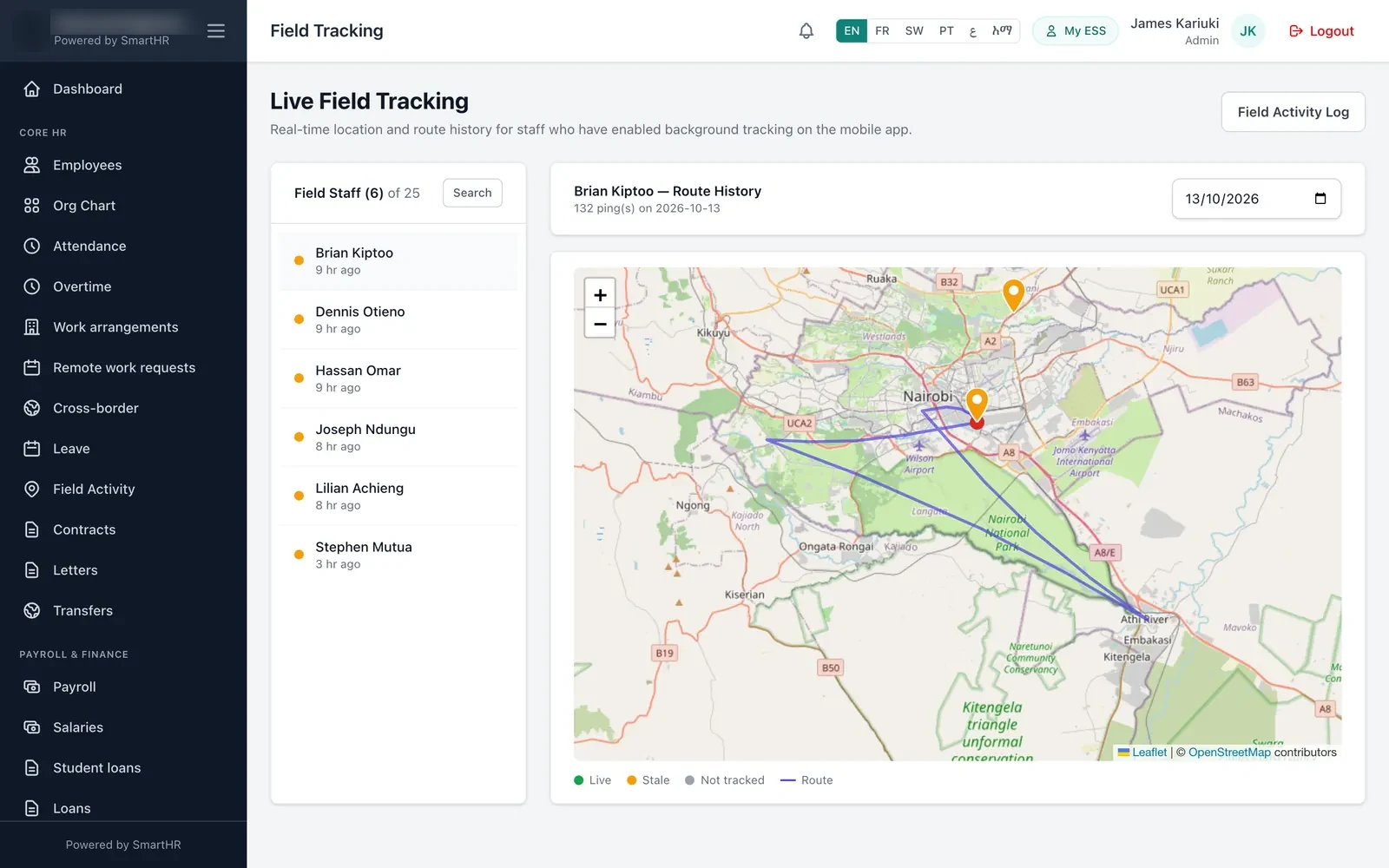
Each tracked employee appears on the map at their most recent position, with a status showing whether that position is recent or old, and when they were last seen.
Pick an employee and a date to draw that day's route on the map, with the first and last points marked. Days are read in the employee's own time zone.
Positions are stored on the phone first and uploaded in the background, so a stretch without network fills in once the phone reconnects.
It can be, if people know what is collected and are in control of it. SmartHR is built on that basis.
Field tracking is a switch in the mobile app. The employee turns it on for field work and off again when they are done.
Before the phone asks for location permission, the app explains what is collected, that it continues while the app is closed, and why.
While tracking is running, the phone shows a permanent notification saying that location is being shared.
Supervisors see their direct reports only. Country HR sees its own country. A clock-in on its own records one position, not a trail.
Data protection law differs by country. Tell your staff about tracking in your own policy and take local advice on what your employment contracts should say.
Yes. GPS does not need mobile data, so the phone still knows where it is. The mobile app saves clock-ins, clock-outs, field activities and tracking positions on the phone and sends them when the network returns.
The same record that shows where the work happened is the one payroll reads. Nobody retypes a timesheet.
See how the numbers are paid on the Payroll & Statutory Compliance page.
Any employer whose people start the day somewhere other than head office.
Installation and maintenance crews moving between client sites. Start and end times for every job.
Field workforce →A geofence at every post, and clock-ins at the wrong post flagged for the supervisor.
Security companies →One geofence per project site, and every clock-in recorded against the site it happened at.
Construction →Route history for the day and a logged stop at each customer.
Logistics →Managing field sales reps? See HR, payroll and GPS tracking for sales teams: customer visits, commission, field allowances and expenses in one payroll.
Running a guarding company? SecureForce adds rosters, QR patrols and client invoicing. Paying construction crews by the day? SiteForce lets foremen check whole crews in. Both are from Emeran Systems Ltd.
Don't see yours? Ask the team →
Tell us how many sites you run and how your teams move between them. We will walk you through a field day, from clock-in to payslip.