
GPS Attendance Across Many Sites: a Practical Setup Guide for African Employers
Branches in three towns, staff on client sites, a warehouse with a biometric reader. Here is how to set up geofences, late rules, approvals and overtime so attendance data is accurate enough to run payroll on.
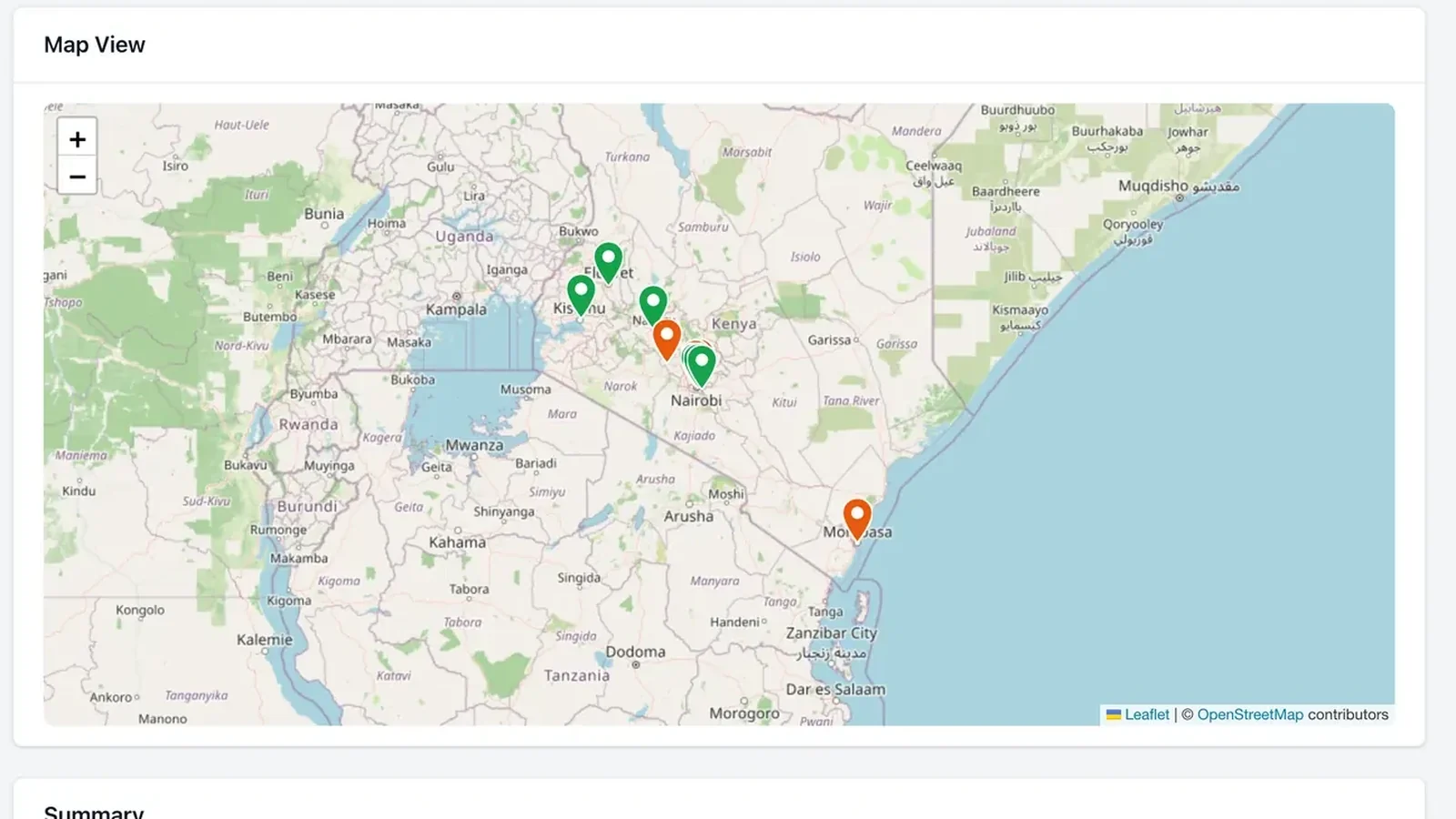
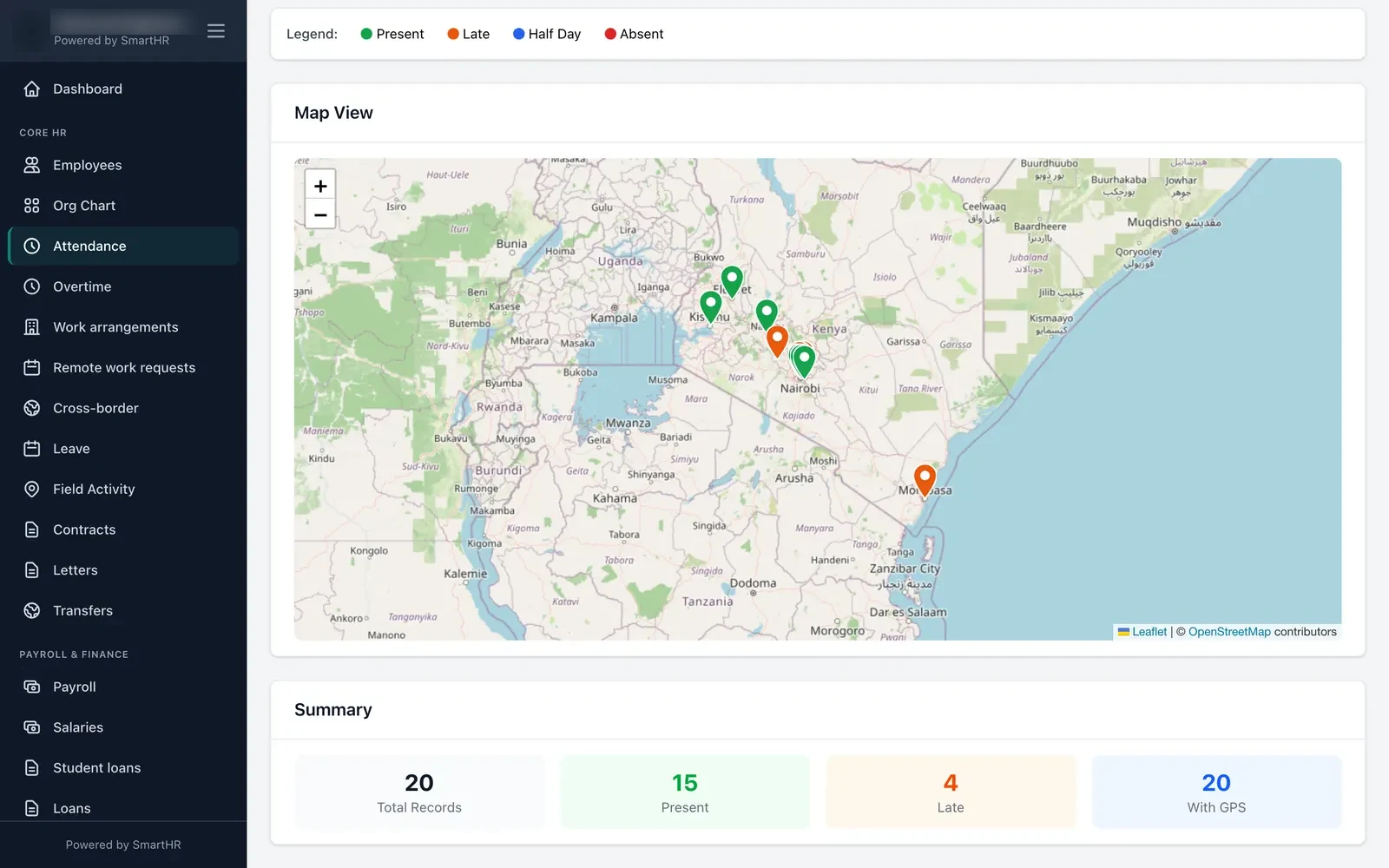
One office with a fingerprint reader is easy. Real African employers rarely look like that. You have a head office in Nairobi, a branch in Mombasa, a depot in Kisumu, a team placed at client sites, and a few people who work from home on Fridays. Each place needs to produce attendance data you can trust — because overtime, deductions and payroll depend on it.
This guide is the setup we recommend, step by step.
1. Map every place people work
List every location where staff clock in: offices, branches, depots, client sites, project sites. For each, note the address, the branch it belongs to, the country, and roughly how big the compound is. This list becomes your geofences.
2. Draw geofences with a realistic radius
A geofence is a circle around a site. When someone clocks in from the mobile app or a browser, SmartHR records their GPS position and checks it against the fences. You can create as many site fences as you need, each linked to a branch and country, and an employee who works from an approved remote location can have a personal fence of 25 to 2,000 metres.
Pick the radius for the real site. Phone GPS is often off by 20–50 metres inside buildings, so a 30-metre fence around a large compound will produce false alarms. Start around 100–200 metres for a typical office and tighten it once you've seen real data.
3. Decide what happens outside the fence
This is the most important policy decision. SmartHR never blocks a clock-in — a person standing at the gate with a weak signal can always record their time. You choose between:
- Allow and flag — the clock-in counts, and it's marked as outside the fence for review.
- Require approval — the clock-in becomes an exception that a supervisor must approve.
Use "require approval" where location really matters (guards on post, staff at client sites) and "allow and flag" for offices where it mostly doesn't.
4. Set shifts and a grace period
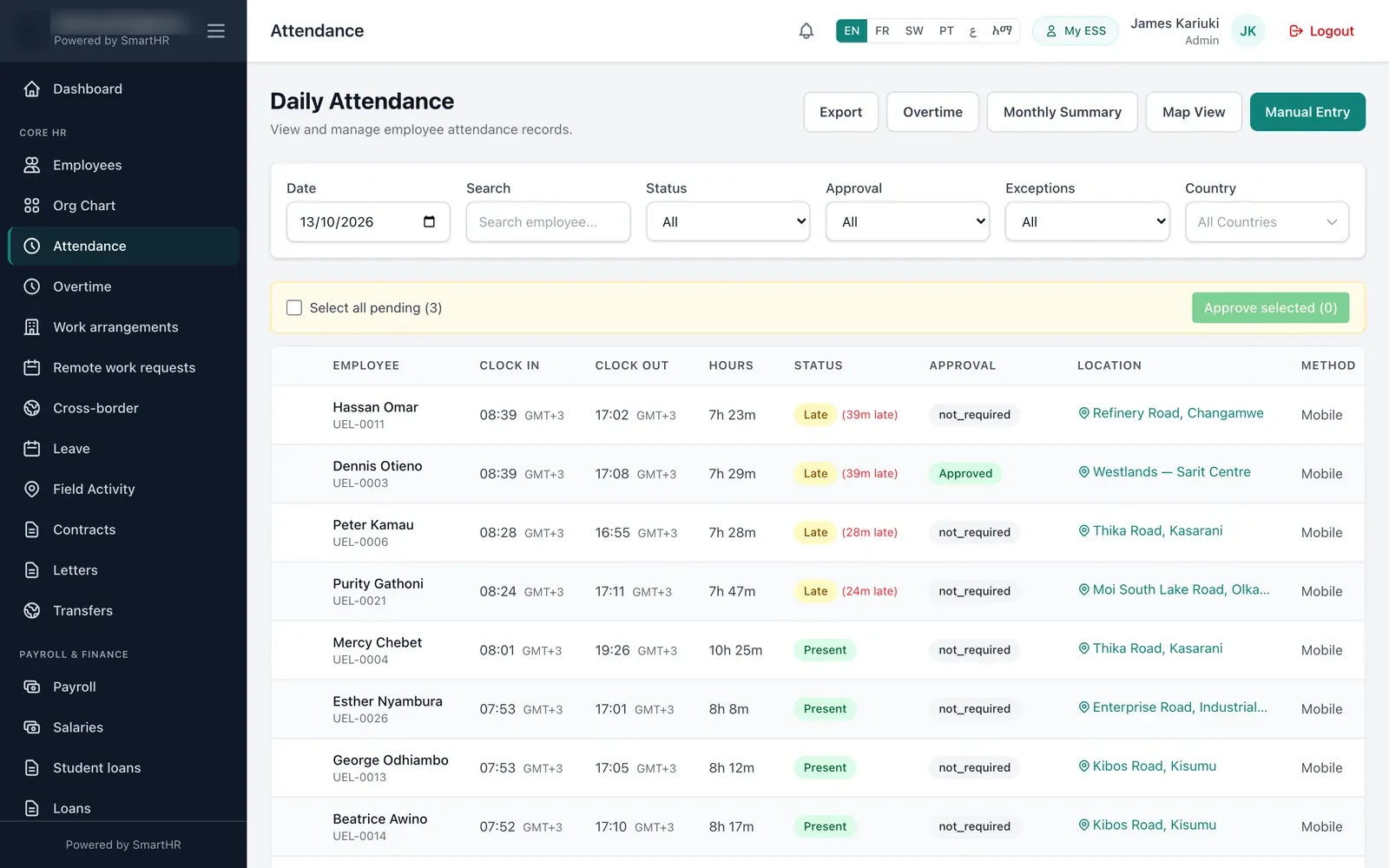
Lateness should be a rule, not an opinion. Give each shift a start time and a grace period. SmartHR marks someone late only after the grace period has passed — and then counts lateness from the shift start, so "8:39 for an 8:00 start" shows as 39 minutes late. Agree the grace period with staff representatives and write it into the attendance policy.
5. Review exceptions, not every record
Normal clock-ins inside a fence need no approval. Supervisors only deal with exceptions: out-of-fence punches (if you chose approval), missing clock-outs and records closed automatically at the end of a shift. The attendance list filters by status, approval, exception type and country, and supports bulk approval — so a supervisor can clear a week of exceptions in minutes.
6. Handle overtime with rules, not favours
If you pay overtime, switch it on as its own process. Overtime in SmartHR must be approved, and nobody can approve their own. You set multipliers for weekdays, rest days and public holidays, and you can compensate with pay, time off in lieu, or a mix — with different rules per country where the law differs.
7. Mix GPS with biometric devices
Large fixed sites often already have a reader. SmartHR takes punches from ZKTeco devices (including direct cloud push), Hikvision, Suprema BioStar 2, any system that can send a webhook, or a CSV import. A warehouse can use its fingerprint reader while sales staff clock in on their phones — and both land in the same attendance list.
8. Don't lose time to bad signal
The mobile app stores clock-ins while offline and syncs them later without creating duplicates. A guard at a remote site still gets an accurate record, timestamped when they actually clocked in.
9. Get time zones right
If you operate in more than one country, attendance has to follow each employee's local day. SmartHR evaluates dates in each employee's country time zone, so a night shift in Lagos and a day shift in Nairobi are both counted on the right date.
10. Close the loop with payroll
Attendance only matters if it flows into pay. Before each payroll run, check the monthly summary for unresolved exceptions, approve overtime, and export the month to Excel if finance wants a copy. Then run payroll on numbers everyone has already agreed.
Checklist
- Every work location listed, with branch and country.
- Geofences sized for real GPS accuracy.
- An out-of-fence rule chosen per type of site.
- Shifts and grace periods written into policy.
- Supervisors trained to clear exceptions weekly, not monthly.
- Overtime approval and multipliers configured per country.
See the full attendance module, how it works for security companies, construction and hospitals, or start a free trial and set up your first geofence today.